

Download UnPlug Extension – Firefox extension, multimedia extractor, audio downloader, video downloader, browser plugin, web content extractor
Overview
The UnPlug Extension is a specialized browser plugin designed for Mozilla Firefox, focused on identifying and extracting multimedia content directly from web pages. Its primary purpose is to assist users in discovering and downloading audio and video files that are embedded within websites, without requiring external tools or complex workflows. This functionality addresses a common challenge faced by users who need to save media content for offline access, personal archiving, or content reuse. The extension operates in real-time, scanning the current webpage to detect available multimedia elements, making it particularly useful for researchers, content creators, educators, and casual internet users who frequently encounter media-rich content.
Target users include individuals seeking efficient ways to preserve online audio and video, such as podcast episodes, educational lectures, music tracks, or tutorial videos. The extension’s integration into Firefox ensures a seamless experience within a familiar browser environment, reducing friction during media retrieval. Although the developer did not provide additional background details, the extension’s longevity—first released in 2007—suggests a stable and enduring utility within the Firefox ecosystem. It remains relevant due to its focused functionality and lightweight design.
Real-world use cases include saving lecture recordings from educational websites, archiving music from streaming pages, or extracting instructional videos for offline viewing. In the broader context of browser tools, UnPlug Extension fills a niche gap for users who require a dedicated, no-frills solution for media extraction. Its continued availability underscores its value in a market where many similar tools have evolved or disappeared.
Key Features & Functionality
- Real-Time Content Detection: The extension scans the active webpage instantly to identify embedded audio and video files. This allows users to quickly locate media content without manual searching or inspecting page source code.
- In-Browser Display: Detected multimedia files are shown directly within the Firefox browser window, eliminating the need for external applications or pop-up windows. This maintains a clean and integrated browsing experience.
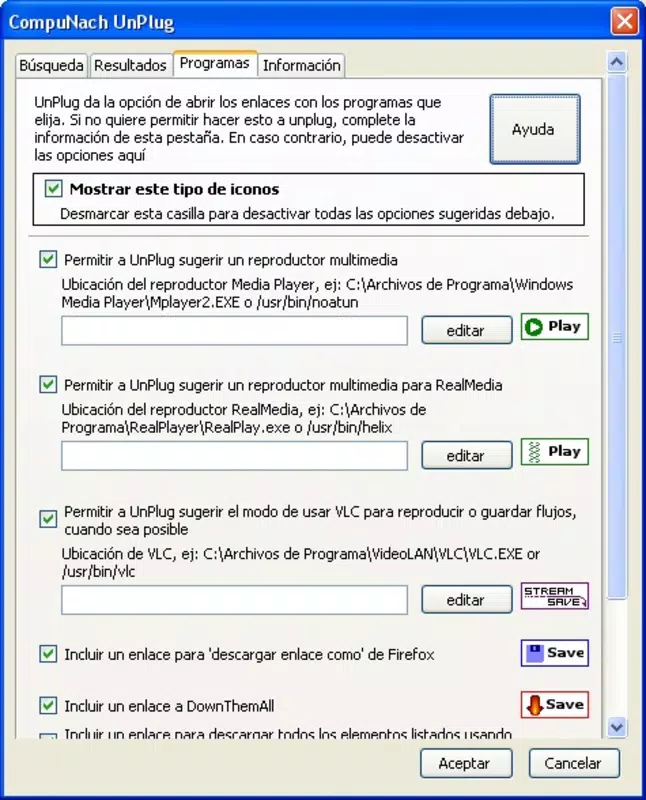
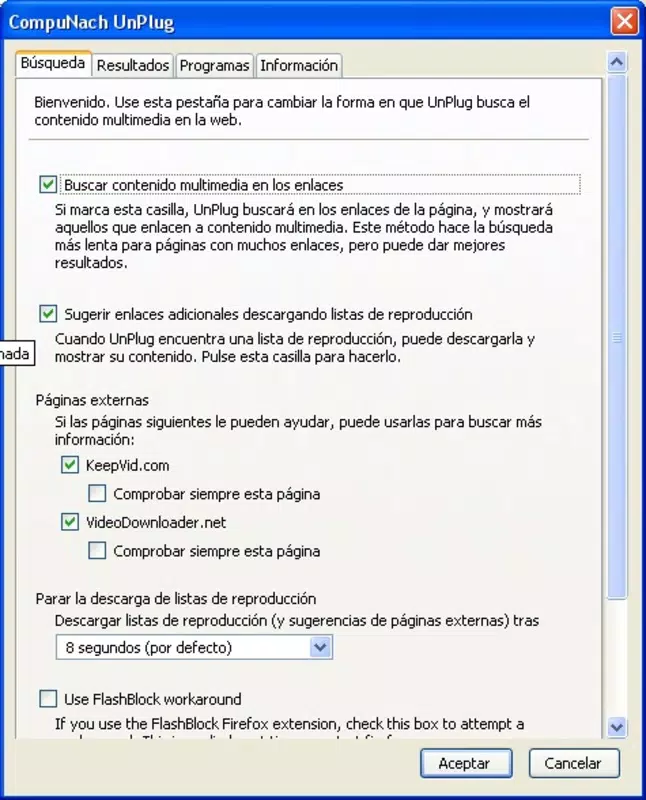
- Customizable Settings: Users can adjust configuration options to tailor the extension’s behavior, such as display preferences, download location, and filtering rules for media types.
- URL-Specific Functionality: The extension only processes the current URL, ensuring that users must navigate to the correct page to access media. This design prevents unintended downloads and enhances content organization.
For example, a student browsing a university’s online course portal can use UnPlug Extension to detect and save a lecture video without leaving the page. Similarly, a content curator may use it to extract audio clips from a news site for a personal archive. The real-time detection and in-browser interface make it efficient for quick, targeted media retrieval, especially in environments where speed and simplicity are prioritized.
Interface, UX & Performance
The UnPlug Extension features a minimalistic interface that integrates directly into the Firefox browser toolbar. Its visual style is consistent with Firefox’s design language, ensuring a cohesive user experience. Navigation is straightforward: users activate the extension while on a relevant webpage, and detected media appears in a compact, accessible panel within the browser window.
Interaction is intuitive, with minimal user input required. The extension does not clutter the interface, maintaining focus on the primary browsing task. Although the developer did not list formal performance metrics, the lightweight nature of the tool—only 2.0 MB in size—suggests low resource consumption. This makes it suitable for use on a variety of devices, including older or lower-end systems.
Responsiveness is expected to be high, given the extension’s real-time scanning and immediate display of results. Stability appears reliable, supported by its long-standing presence in the Firefox ecosystem. Users can expect consistent behavior across different websites, though performance may vary slightly depending on the complexity of the page or the number of embedded media files.
Platform Compatibility & Technical Requirements
The UnPlug Extension is designed exclusively for the Mozilla Firefox platform. It is compatible with Firefox browsers, though specific version requirements were not listed. The file size is 2.0 MB, indicating a lightweight installation that does not significantly impact system storage.
Compatibility information was not fully disclosed, so users should ensure their Firefox version is up to date to avoid potential issues. The extension is available as a free download and does not require additional software or plugins to function. It operates solely within the Firefox environment, leveraging the browser’s built-in capabilities for content rendering and network requests.
Pros and Cons
Pros
- Lightweight design with minimal system impact
- Real-time detection of audio and video files
- Seamless in-browser display without external tools
- Customizable settings for personalized use
- Free to download and use
Cons
- Available only for Firefox, limiting cross-browser use
- No detailed technical specifications provided
- Functionality is restricted to the current URL
- May not detect media from dynamically loaded content
- Long release date suggests limited recent updates
FAQ
Is UnPlug Extension safe to install?
The extension is available through official Firefox channels and is designed to operate within the browser’s security model. It does not require elevated permissions and functions only on the current webpage.
Can I use UnPlug Extension on other browsers?
No, the extension is specifically built for Mozilla Firefox and is not compatible with browsers such as Chrome, Safari, or Edge.
Does UnPlug Extension download files automatically?
No, the extension detects and displays media files but does not initiate downloads automatically. Users must manually trigger the download process.
Is there a mobile version of UnPlug Extension?
Currently, the extension is only available for desktop Firefox and does not support mobile platforms.
How often is UnPlug Extension updated?
The release date was recorded as 2007, but no recent update history was provided. Users should verify compatibility with current Firefox versions.
Final Thoughts
The UnPlug Extension remains a dependable tool for Firefox users seeking a straightforward way to extract multimedia content from web pages. Its real-time detection, in-browser interface, and customizable settings make it a practical solution for educators, researchers, and content enthusiasts. While its age and lack of recent updates may raise concerns about long-term support, its core functionality remains effective and secure.
For those who prioritize simplicity, privacy, and direct browser integration, UnPlug Extension offers a valuable utility without the bloat of modern alternatives. Its free availability and minimal resource usage further enhance its appeal. If you rely on Firefox and frequently need to save audio or video content, this extension delivers consistent value.
Download UnPlug Extension now


